How to Build a WhatsApp Bot in 2026: The Ultimate No-Code Guide for Businesses
In an era where instant responses are the standard, businesses can no longer afford to let customer inquiries go unanswered.
With over 2 billion active users, WhatsApp has become the most powerful bridge between brands and customers.
But how do you scale personalized conversations without increasing manpower?
The answer is WhatsApp Automation.
At Fril Softwares, we help businesses automate conversations effortlessly.
In this guide, you’ll learn how to create a WhatsApp chatbot using a no-code approach
and why Fril Bot is the smartest choice for long-term business growth.
What is a WhatsApp Chatbot?
A WhatsApp chatbot is an automated software solution integrated with the
WhatsApp Business API. It enables businesses to communicate with customers automatically while maintaining a human-like experience.
- 24/7 Customer Support: Never miss an inquiry, even outside working hours.
- Lead Qualification: Capture and filter leads automatically.
- Instant Engagement: Respond within seconds and improve conversion rates.
Step-by-Step: How to Create a WhatsApp Bot
Creating a WhatsApp bot may sound complex, but with modern tools and
Fril Softwares’ expertise, it’s faster and simpler than ever.
1. Get Access to the WhatsApp Business API
To build a professional WhatsApp bot, you need access to the
WhatsApp Business API.
This is done through an official Business Solution Provider (BSP).
Pro Tip: Ensure your business follows WhatsApp’s commerce policies for quicker approval.
2. Define the User Journey
Before building the bot, clearly define the conversation flow.
- What message should greet the user?
- What details do you need to collect (name, phone, appointment date)?
- When should the chat be handed over to a human agent?
3. Use a No-Code Visual Builder
With no-code platforms, you don’t need technical skills to build a WhatsApp bot.
Using visual builders, you can:
- Drag and drop message and question blocks
- Apply conditional logic (If/Then flows)
- Send images, videos, PDFs, and buttons
4. Connect Your Data & CRM
Integrate your WhatsApp bot with Google Sheets, CRM systems, or internal databases.
This allows automatic lead storage, appointment tracking, and follow-ups.
Why Choose Fril Bot by Fril Softwares?
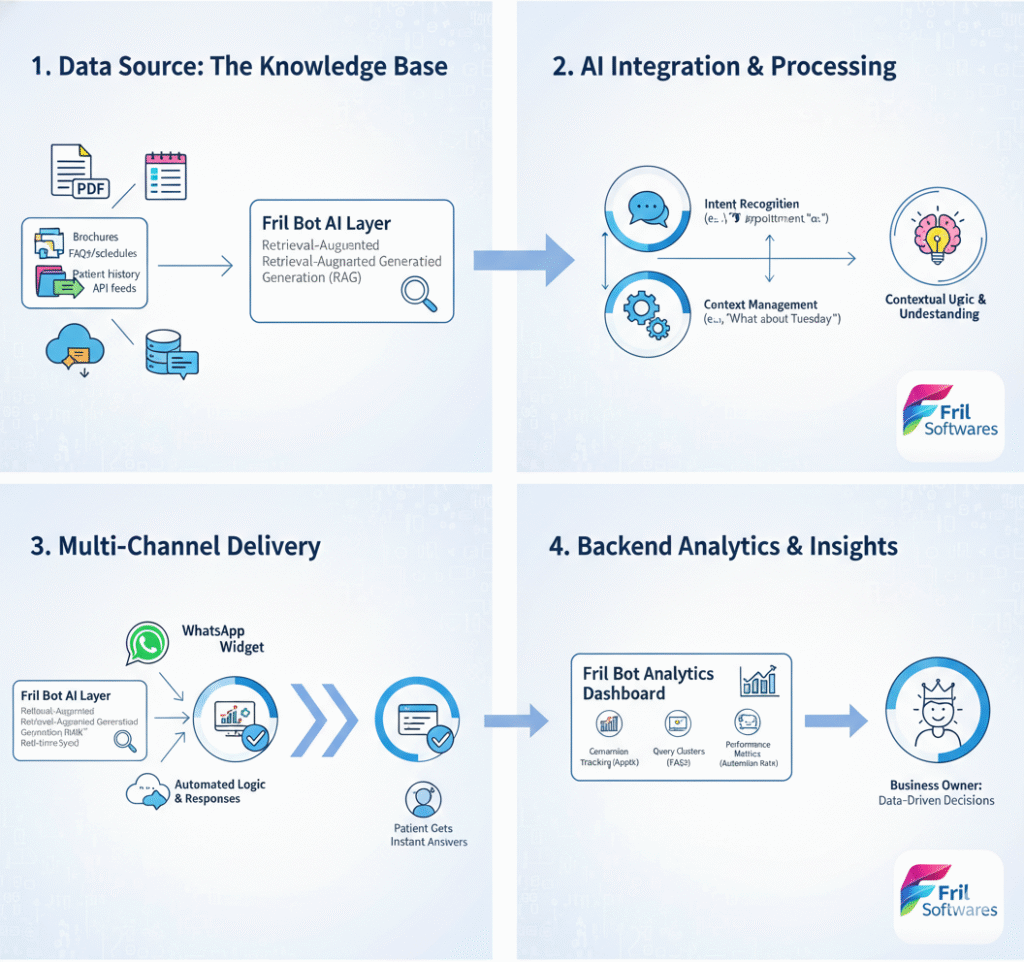
While many tools allow DIY bot creation, Fril Bot is designed for businesses
that want a reliable, scalable, and conversion-focused solution.
Multi-Channel Integration
Fril Bot works seamlessly across your website and WhatsApp.
Customers can start a conversation on your site and continue it on WhatsApp without losing context.
Healthcare & Clinic-Focused Automation
Fril Bot is built with clinics and hospitals in mind, helping automate:
- Appointment booking and confirmations
- Patient inquiry handling
- Pre-consultation data collection
Human-in-the-Loop Support
Some conversations need a human touch.
Fril Bot intelligently escalates complex queries to your staff via WhatsApp or internal notifications.
Conclusion: Automate Smarter with Fril Bot
WhatsApp automation is no longer optional—it’s a competitive necessity.
With Fril Bot by Fril Softwares, you get more than a chatbot;
you get a smart automation partner that grows with your business.